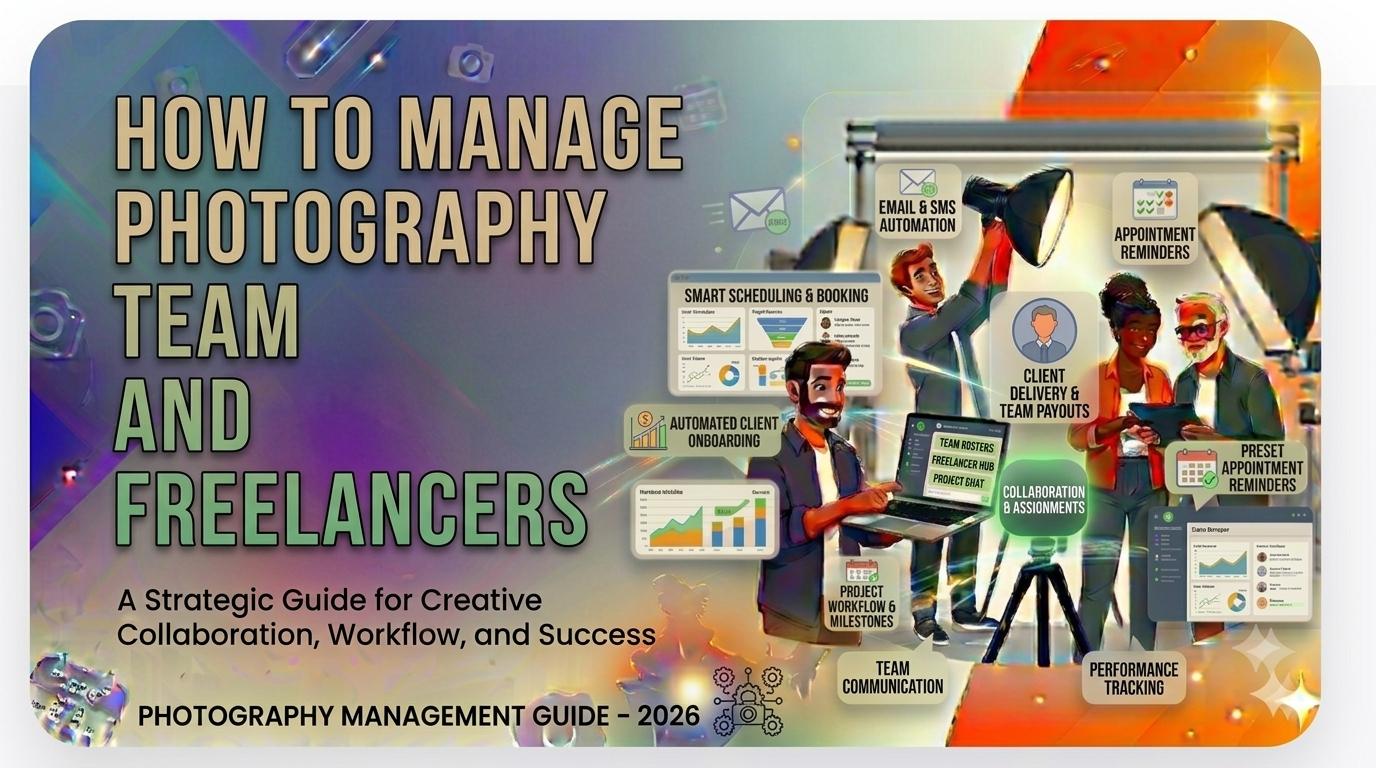
How to Manage Photography Team and Freelancers in 2026
Running a busy photography studio today is no longer just about taking great photos. Studio owners are also managing lead responses, booking calendars, client expectations, editing timelines, payment follow-ups, and a growing network of photographers, editors, album designers, and freelancers. If you want to manage photography team and freelancers effectively, you need more than talent—you need a repeatable operating system for your studio.
For many Indian studios in cities like Surat, Ahmedabad, Jaipur, Pune, and Hyderabad, team coordination becomes the real bottleneck once bookings increase. One wedding can involve a lead photographer, second shooter, cinematographer, drone operator, editor, album designer, and coordinator. Multiply that across ten or twenty active projects and suddenly the biggest risk is not lack of business—it is operational chaos. This is exactly where better photography studio team management makes the difference.
In this guide, we will break down how to structure your team, manage freelancers, set clear responsibilities, track performance, handle payments, and use the right workflow tools so your studio can grow without losing quality or control.
1. Why team and freelancer management matters for photography studios
When a studio owner starts out, most work is done personally. You speak to the client, attend the shoot, coordinate edits, approve the album, and collect the payment. But as the studio grows, that model stops working. You begin to depend on a mix of full-time staff and freelance professionals. This is where studio operations either mature or break.
A poorly managed team creates hidden losses: delayed deliveries, repeat edits, missed client calls, double-booked photographers, unclear rates, unapproved overtime, lost files, and weak accountability. The damage is not only operational. It affects your brand reputation, client referrals, margins, and your ability to scale into a ₹50 lakh or ₹1 crore+ studio business.
Why this challenge is growing in India
Indian photography studios often run on a hybrid workforce. A studio may keep a small core team and add freelancers for weddings, pre-wedding shoots, reels, drone coverage, editing, and album design during peak months. This model is flexible, but it only works when assignments, communication, and payments are organised.
That is especially important because Indian weddings are high-pressure, high-value projects. Couples may spend several lakhs on photography and cinematography packages, and expectations are extremely high around timelines, teaser reels, album delivery, and responsiveness. A single missed coordination step can create escalations that damage trust.
In other words, learning to manage photography team and freelancers is no longer optional. It is one of the most important business skills a studio owner can build.
2. Common team management problems photography studios face
Before fixing team workflows, it helps to identify where studios usually lose control. Most operational issues show up in the same patterns, whether the studio is based in Surat, Pune, Delhi, Jaipur, or Bengaluru.
Freelancer coordination happens only on calls and WhatsApp
Many studios still manage photographers and editors through personal calls, scattered WhatsApp groups, and manually forwarded messages. It feels fast in the moment, but it creates zero visibility. Nobody can clearly see who is assigned, what was promised, what is pending, or whether the work has been delivered.
There is no single source of truth for assignments
One person notes the booking in a diary. Another updates an Excel sheet. A coordinator has the latest timing in WhatsApp. The editor gets the wrong brief from a photographer. By the time the client asks for an update, the studio owner is piecing information together from five places.
Roles overlap and accountability disappears
Who confirms shoot timing with the client? Who collects the shot list? Who uploads raw data? Who approves the teaser reel? Who sends the GST invoice? If these steps are not clearly assigned, tasks fall through the cracks.
Freelancer availability is not tracked
Studios often work with the same freelance photographers, drone operators, and editors across multiple events. Without an availability calendar, people get double-booked or informed too late. That creates last-minute replacements and compromises output quality.
Payments become a headache
When rates are agreed over calls and work is approved informally, payment disputes become common. One freelancer says they were promised ₹12,000 for a wedding. Another asks for extra travel reimbursement. The editor claims the job scope increased. Without recorded approvals, the studio owner ends up negotiating every payout from scratch.
Post-production deadlines are weakly managed
Raw footage may be transferred late. Editing instructions may not be documented properly. Selection approvals may sit with the client for days. The result is predictable: teaser delays, album delays, and stressed clients.
3. Build the right team structure for your studio
Good team management starts with structure. Even a small studio should define who belongs to the core team and which roles are outsourced or freelance-based.
Core in-house roles
- Studio owner / operations lead: Final approvals, escalations, pricing, major client decisions.
- Client coordinator: Inquiry follow-up, booking updates, schedule confirmation, payment reminders.
- Lead editor or post-production manager: Assign editing work, review outputs, monitor delivery timelines.
- Accounts / billing support: GST invoices, advance tracking, final balances, vendor payouts.
Freelance or project-based roles
- Wedding photographers and second shooters
- Cinematographers and drone operators
- Photo editors and video editors
- Album designers
- Retouchers and reel editors
- Equipment assistants or shoot-day coordinators
Create a role matrix for every event type
Not every project needs the same staffing model. A pre-wedding shoot, maternity session, corporate event, and three-day wedding all require different combinations of people. The smartest studios build standard role templates for each job type.
| Project Type | Typical Team | Recommended Coordinator | Main Risk If Unplanned |
|---|---|---|---|
| Pre-wedding shoot | 1 photographer, 1 cinematographer, 1 editor | Client coordinator | Location timing confusion and delayed preview delivery |
| Single-day wedding event | 2 photographers, 2 cinematographers, 1 coordinator, 2 editors | Operations lead | Missed coverage moments and file transfer delays |
| Multi-day wedding | 4–8 shooters, drone operator, coordinator, editor team, album designer | Dedicated event manager | Scheduling chaos and unclear handoffs between teams |
| Corporate shoot | 1 photographer, 1 editor | Studio owner or project manager | Brand brief misalignment and approval delays |
Once you define the structure, it becomes easier to standardise communication, rates, and reporting. This is also where a dedicated photography team management system becomes useful.
4. How to onboard freelancers the right way
Many studios spend time hiring freelancers but very little time onboarding them. That creates confusion from the first assignment. A professional onboarding process saves time later and protects quality.
Create a standard freelancer profile
Every freelancer should have a record containing:
- Full name and contact details
- City and travel availability
- Specialisation: candid photography, traditional, cinematic, drone, editing, album design
- Preferred working hours and blackout dates
- Day rate / project rate / editing rate
- Bank details or UPI details for payouts
- GST status if applicable
- Portfolio links and sample work quality notes
Define expectations before the first assignment
Freelancers should know exactly how your studio works. Share your file naming format, backup rules, delivery timelines, expected dress code for wedding events, communication protocol with clients, and approval process for final edits. This is especially important when your studio handles premium packages in the ₹1 lakh to ₹5 lakh range or above.
Use a written rate card and work policy
Do not rely only on “same as last time” conversations. Send a simple policy document or onboarding sheet covering:
- Project rates and overtime rules
- Travel, stay, and meal reimbursement policy
- Payment cycle after delivery or approval
- Raw file handover deadlines
- Revision limits for editing work
- Confidentiality and portfolio-sharing expectations
If you run a larger studio, these details should be visible inside your workflow software so the operations team does not have to ask the owner every time.
5. How to assign work without confusion
The biggest improvement a studio can make is moving from “message-based assignments” to “system-based assignments.” Every event, every deliverable, and every responsible person should be visible in one place.
What every assignment should include
- Client name and event name
- Shoot date, reporting time, and venue details
- Assigned team members and backup options
- Specific responsibilities: photography, cinematography, reels, raw backup, teaser edit, album design
- Delivery deadlines for each milestone
- Reference brief, mood board, or client notes
- Payment status and pending advance information
Use milestone-based assignment instead of one big task
Instead of assigning “Sharma wedding” as one large project, break it into milestones:
- Client confirmation and advance payment received
- Team assigned and schedule locked
- Shoot completed and raw data received
- Preview / teaser delivered
- Photo selection completed
- Album design approved
- Final payment collected
- Final delivery completed
This structure helps you manage photography team and freelancers with much more clarity because each person can see exactly what stage the project is in and what action is expected next.
Assign an owner to every deliverable
Every task must have one primary owner. Even if multiple people contribute, one person should be accountable for the result. For example:
- Lead photographer owns raw upload completion
- Post-production manager owns teaser timeline
- Album designer owns layout submission
- Client coordinator owns approval follow-up
6. Communication and WhatsApp workflows for studio teams
WhatsApp is unavoidable in the Indian market. Clients use it, photographers use it, freelancers use it, and many studios already rely on it for day-to-day communication. The goal is not to eliminate WhatsApp. The goal is to stop letting it become your only system.
Use WhatsApp for updates, not as your database
WhatsApp is useful for fast communication: location pins, reporting-time reminders, client confirmations, teaser delivery updates, and urgent coordination. But event details, freelancer assignments, payment status, and deliverable deadlines should still be recorded in a central platform.
Recommended communication workflow
- Store booking and team assignment inside your studio management system.
- Use WhatsApp to notify assigned team members about new shoots.
- Send reminders 24 hours before the event.
- Record post-shoot completion and raw upload status in the system.
- Use WhatsApp for client-facing milestone updates, but keep the official status updated in the dashboard.
This combination works well because it respects how Indian studios actually operate while still reducing confusion. If your current process is scattered, a dedicated WhatsApp integration for photography studio workflows can save hours every week.
For context, small businesses in India increasingly depend on WhatsApp as a business communication channel, but the challenge is turning those conversations into trackable business workflows. That is exactly why studio owners need structured systems rather than chat-only operations.
7. How to track performance, deadlines, and deliverables
Freelancers should not be judged only by whether they showed up. The real goal is consistent quality, reliability, and delivery discipline. Good studios track performance at the project level, not just the person level.
What to track for photographers and cinematographers
- Attendance and reporting timeliness
- Coverage quality and adherence to brief
- Raw file handover timing
- Equipment handling and data backup discipline
- Client professionalism during the event
What to track for editors and album designers
- First draft turnaround time
- Revision count
- Quality score based on internal review
- Deadline adherence
- Rework caused by missed instructions
Create a simple scorecard
| Role | Metric | How to Measure | Review Frequency |
|---|---|---|---|
| Freelance photographer | On-time reporting | Reported vs assigned time | Every event |
| Video editor | Draft turnaround | Days from raw receipt to first cut | Weekly |
| Album designer | Revision efficiency | Average revisions per album | Monthly |
| Coordinator | Client update consistency | Status notes and follow-up completion | Weekly |
Make pending work visible
The most valuable dashboard for a studio owner is not a fancy analytics page. It is a simple view showing:
- Which projects are active
- Which deliverables are overdue
- Which freelancer has pending work
- Which client approvals are blocking delivery
- Which payments are pending before final delivery
This is where reporting becomes practical. A good reporting tool for photography studios helps you spot bottlenecks before clients complain.
8. Managing payouts, rates, and GST-ready billing
Freelancer management is incomplete without payment management. The faster your studio grows, the more important it becomes to connect work completion with payout approval.
Standardise rate cards
Create approved rates for common roles and event types. For example:
- Wedding candid photographer: ₹8,000–₹20,000 per event depending on experience and city
- Cinematographer: ₹10,000–₹25,000 per event
- Photo editor: ₹30–₹100 per selected image or project-based package
- Album designer: ₹1,500–₹6,000 per album depending on complexity
- Drone operator: ₹8,000–₹18,000 depending on permissions and event scale
Link payouts to approved milestones
Instead of paying everyone immediately after the event without checks, define payout triggers. For example:
- Shoot-day freelancer payment released after attendance and raw file handover are confirmed.
- Editing payment released after first approved draft or final delivery.
- Album design payment released after final approval and print handoff.
Handle GST and invoicing properly
If your studio is GST registered, your billing and expense records should be consistent. That includes client invoices, vendor invoices where applicable, and proper records of payouts. If the studio and freelancer are in the same state, CGST and SGST may apply based on the invoicing structure. If the vendor is in another state, IGST may apply depending on the transaction and registration details. Always confirm with your accountant or tax consultant for compliance.
At a minimum, your system should store:
- Freelancer rate and approved amount
- Invoice or payout reference number
- Bank transfer / UPI / payment gateway reference
- GST details where applicable
- TDS or other accounting notes if your finance process requires it
For client-side collections, Indian studios commonly use gateways like Razorpay or PayU for faster online payments. But whether the payment comes by UPI, bank transfer, or gateway, it should be mapped back to the project and visible alongside delivery milestones. A dedicated payment tracking system for photography studios can reduce confusion significantly.
9. Tools and automation for photography team management
At a certain stage, spreadsheets stop being a productivity tool and start becoming a liability. The reason is simple: spreadsheets can store information, but they do not run workflows. Photography studios need workflow automation because projects move across multiple people and multiple stages.
What your system should ideally automate
- Booking-to-team assignment flow
- Freelancer notifications for upcoming shoots
- Task creation for editing and album design
- Pending payment reminders for clients
- Status tracking from inquiry to delivery
- Team visibility across multiple events
Software modules that matter most
Studios often look for one tool that solves everything. In reality, the best setup is a platform that connects the key modules that drive studio operations:
- quotation management for photography studios so proposals and package details are recorded from day one
- order conversion tracking so leads, bookings, and confirmed jobs are connected to team planning
- team management workflows for assigning staff and freelancers
- post-production workflow management for editing, approvals, and delivery tracking
- payment tracking for advances, balance payments, and vendor payouts
- reporting dashboards for pending work, revenue, and team performance
When these modules talk to each other, your studio becomes much easier to manage. You can see which team is overloaded, which freelancers are reliable, which projects are delayed, and which payments are stuck—all without chasing people manually.
10. SOPs for wedding photography teams in India
Wedding studios in India need stronger SOPs than almost any other photography niche because events are emotionally important, logistically complex, and often spread across multiple functions. A clean SOP reduces stress for both your team and your clients.
Suggested SOP for pre-event planning
- Booking confirmed with signed quotation and advance payment.
- Client preferences and family priorities documented.
- Team assigned at least 7–14 days before the event.
- Venue addresses, reporting times, dress code, and contact numbers shared.
- Equipment checklist confirmed.
- WhatsApp reminder sent to client and internal team 24 hours before the event.
Suggested SOP for shoot-day execution
- Lead photographer confirms team arrival.
- Coordinator updates event status in the dashboard.
- Raw data backup begins immediately after the event or at the end of the day.
- Client requests during the event are documented and shared with the editing team if relevant.
Suggested SOP for post-production handoff
- Raw files uploaded and marked complete.
- Editing task assigned with deadline and reference notes.
- Preview delivery target shared with the client.
- Album selection follow-up scheduled.
- Final payment reminder triggered before final delivery where appropriate.
Studios that standardise these workflows are easier to scale. They also train new coordinators and freelancers faster because expectations are documented instead of being passed verbally.
If you want to go deeper into complete studio workflows, you can explore the ClickDesk photography studio blog and the about ClickDesk page to understand how a workflow-first studio system is designed for Indian businesses.
11. Manual management vs software-based team management
Many studio owners know their current system is messy, but they are not always sure what actually improves when they switch to a structured platform. The comparison below makes the difference clearer.
| Area | Manual / WhatsApp / Spreadsheet Process | Software-Based Photography Team Management |
|---|---|---|
| Team assignment | Shared on calls or in chat groups; difficult to track changes | Visible in one dashboard with owner, role, and status |
| Freelancer availability | Remembered manually or checked at the last minute | Recorded centrally with event-wise assignment visibility |
| Editing deadlines | Followed up through repeated messages | Tracked with milestones and pending status reports |
| Payment follow-up | Scattered between accounts, chats, and personal notes | Connected to projects, invoices, and due dates |
| Client updates | Dependent on individual coordinators remembering to respond | Standardised workflow with reminders and visibility |
| Owner visibility | Requires asking multiple people for updates | One dashboard shows active jobs, pending tasks, and collections |
When should a studio move to a proper system?
If any of the following are true, it is probably time:
- You are handling more than 10–15 active projects a month.
- You regularly work with multiple freelance photographers or editors.
- Your clients are waiting too long for updates or deliveries.
- Your payment follow-up process depends on memory.
- You cannot quickly answer “what is pending right now?” across all projects.
At that stage, software is not an expense. It is operational insurance.
12. How ClickDesk helps Indian photography studios manage teams and freelancers
ClickDesk is a photography studio management software built in India for Indian photography studios. It is designed for studio owners who want to move beyond scattered spreadsheets, WhatsApp-only coordination, and manual follow-ups. Whether you manage weddings, pre-wedding shoots, maternity sessions, corporate projects, or multi-city events, ClickDesk helps bring bookings, teams, post-production, payments, and reporting into one workflow.
For studios trying to manage photography team and freelancers at scale, the biggest benefit of ClickDesk is visibility. Instead of calling coordinators, checking old messages, or maintaining separate sheets for assignments and payments, studio owners can track the entire job lifecycle in one place—from quotation to order conversion to team assignment to delivery and payment collection.
Who ClickDesk is built for
- Wedding photography studios managing multiple events every month
- Growing studios that work with a mix of full-time staff and freelancers
- Studios in Surat, Ahmedabad, Jaipur, Pune, Mumbai, and other Indian cities that need better operational control
- Photography businesses that want cleaner client communication, stronger post-production tracking, and better payment visibility
India-specific ClickDesk features that help team and freelancer management
- Role-based team assignment for photographers, cinematographers, editors, coordinators, and freelancers
- Quotation and booking workflow designed for Indian photography studios
- Payment tracking built around Indian studio billing needs and project collections
- GST-friendly workflow support for invoices, including practical billing visibility for CGST/SGST context
- WhatsApp-friendly communication workflow for client and team coordination
- Post-production tracking for edits, album design, and pending delivery milestones
- Reports that help studio owners see pending work, overdue projects, and collection status in one place
- Useful for studios working with Razorpay or PayU collection flows alongside bank transfer and UPI payments
You can explore a broader breakdown of capabilities on the best features of photography studio management software page and review plan options on the ClickDesk pricing page.
Studios that want to improve lead handling and operational flow together can also connect team management with modules like quotation management, order conversion, post-production workflow, and studio reporting tools. That matters because team management works best when it is connected to the full studio lifecycle—not treated as a separate admin task.
13. External insights every studio owner should pay attention to
Photography team management does not happen in isolation. It sits inside a larger business environment shaped by digital communication habits, service expectations, and process maturity. That is why studio owners can learn from broader operations and small-business workflow research too.
Useful reads for studio owners
- Harvard Business Review on managing hybrid teams and accountability
- McKinsey insights on productivity, process design, and service operations
- Forbes articles on freelancer management and small business growth systems
- Gartner research on workflow visibility and operational efficiency
- GST portal guidance for business billing and compliance reference
- Economic Times coverage on India’s digital SMB ecosystem and business software adoption
One practical trend is clear: Indian service businesses are moving away from fragmented communication and toward workflow-driven systems. For photography studios, that means a better way to manage team members, freelancers, clients, and collections in one connected setup.
14. Final thoughts: better team management creates better studio growth
Studios usually think growth problems start with lead generation or marketing. In reality, many growth problems start with operations. If your photographers, editors, coordinators, and freelancers are not aligned, the studio owner becomes the bottleneck for every decision. That slows down delivery, weakens client experience, and limits how many projects your business can handle profitably.
To manage photography team and freelancers successfully, focus on a few fundamentals: clear roles, event-wise assignments, centralised communication, milestone-based tracking, standard payout rules, and software that gives you visibility across the whole studio. When those systems are in place, you stop firefighting and start building a scalable studio.
If your studio is ready to move beyond scattered spreadsheets and WhatsApp-only coordination, ClickDesk can help you organise bookings, teams, freelancers, payments, and post-production in one place. Start your free ClickDesk trial today →
15. Frequently Asked Questions
How do I manage freelance photographers for multiple wedding shoots?
Start by creating a central system for assignments, availability, rates, and deliverables. Every wedding should have a clear owner, role-wise responsibilities, and a defined deadline for raw uploads and final outputs. This is much more reliable than managing everything through calls and WhatsApp alone.
What is the best software to manage photography team and freelancers in India?
The best software is one that connects booking management, team assignment, post-production tracking, payment tracking, and reporting in one workflow. For Indian photography studios, ClickDesk is built specifically around these needs, making it easier to manage photographers, editors, coordinators, and freelancers from one dashboard.
How should a studio pay freelance photographers and editors?
Studios should define approved rates, overtime rules, travel policies, and payout milestones before assigning work. Payments should ideally be linked to attendance confirmation, raw file handover, or approved delivery milestones so disputes are reduced and accountability improves.
Can ClickDesk help track pending work for photographers and editors?
Yes. ClickDesk helps photography studios track assignments, post-production stages, pending tasks, client approvals, and payment status in one place. This is especially useful for studios handling multiple wedding projects and a mix of internal staff and freelancers.
Why do photography studios struggle with team coordination during wedding season?
The biggest reasons are unclear responsibilities, no central dashboard for assignments, scattered updates across WhatsApp, delayed raw file handovers, and manual follow-up for payments and editing. Wedding season magnifies these issues because multiple events are happening at once.